How to play a PPTX in the browser (without PowerPoint)
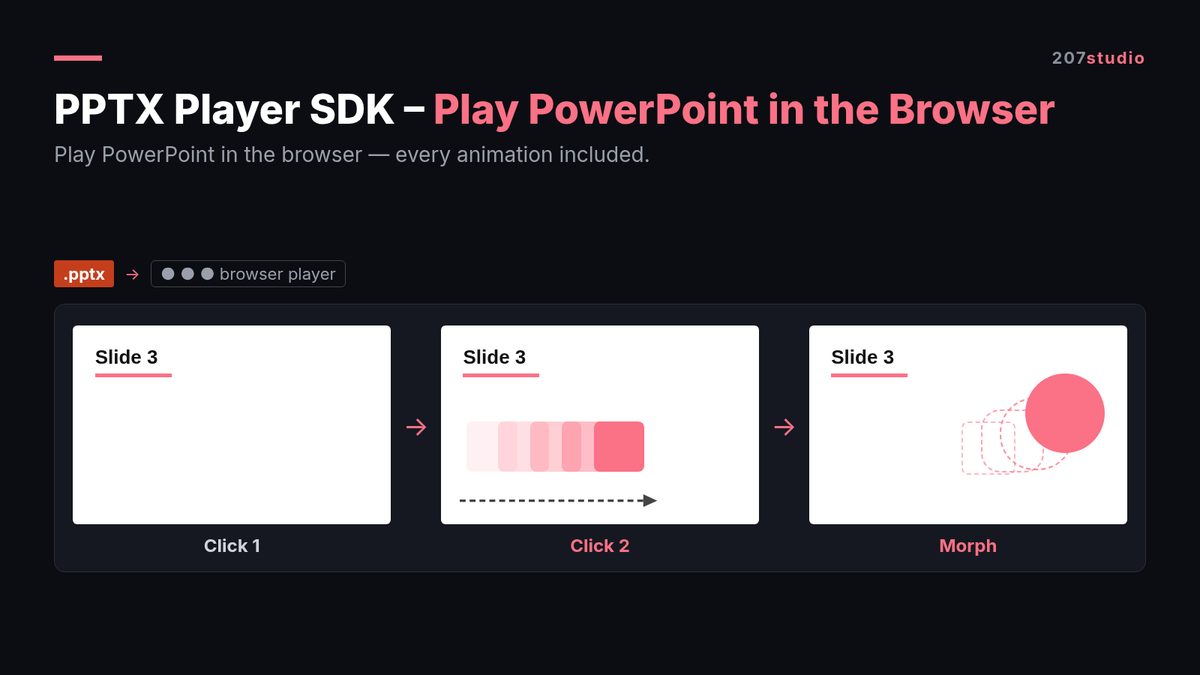
TL;DR
- There are three ways to show a
.pptxin a browser: render it client-side, convert it on your server, or embed a hosted viewer. - Only client-side rendering keeps the click sequence, so if the deck has animations, that is the option to look at first.
- Test any viewer with one deck that has a morph transition, a font you do not ship, and a video. If the deck survives that, it will survive the real ones.
The short answer
You play a .pptx in the browser by unzipping the file, reading the slide XML, and drawing each shape as HTML or SVG in the order the animation timing tree says. That can happen in the browser (client-side), on your server before it reaches the browser, or inside a third-party viewer you link to. A .pptx is not a picture format, so how you convert it decides whether the deck still behaves like a presentation or turns into a stack of slides.
Why the animations break in the first place
A .pptx file is a zip of XML parts. Each slide has a shape tree that says what is drawn and a timing tree that says when each piece appears, moves, or leaves. Most browser converters read the shape tree and skip the timing tree, because drawing shapes is easy and replaying a timeline is not.
Three more things go wrong on the way:
Fonts. The deck names fonts, it does not carry them. If the reader's machine does not have the font, text reflows, and anything anchored to a text box (connectors, badges, arrows) drifts away from it. Korean and Japanese decks hit this first.
Morph transitions. A morph is not a transition effect that can be dropped in. The renderer has to match shapes on the outgoing slide with shapes on the incoming slide and interpolate between them. Renderers that support 40 entrance effects can still fail here.
Media. Embedded video and audio live in separate parts of the package. A converter that outputs images drops them without telling you.
Three ways to do it
| Approach | What you ship | Keeps click animations | Works offline | What it costs |
|---|---|---|---|---|
| Client-side render | A JS engine that reads the package and draws HTML/SVG | Yes, if the engine reads the timing tree | Yes | One-time licence, or free if you use an open source project and maintain it |
| Server conversion | A converted deck pushed to the browser as HTML or images | Usually no | No, the browser needs your server | Server time and storage per deck |
| Hosted viewer | An embed or a link to someone else's viewer | Depends on the vendor | No | Monthly plan or per-conversion quota |
Server conversion and hosted viewers are fine when you only need to show slides, for example a preview thumbnail in a file picker. They are the wrong tool when the deck is the product, a lesson, or a sales pitch, because the thing people came for is the sequence.
How to test any viewer in five minutes
Do this before you read the pricing page. Build one test deck that contains all five of these:
- A slide pair with a morph transition between them.
- A text box in a font the test machine does not have. A Korean font is a good pick.
- One embedded video.
- A bulleted list where each bullet is a separate click entrance, then an exit effect on the whole list.
- A deliberately damaged file: put a stray
&inside a text box.
Then watch for four things:
- Order. Click through and compare against PowerPoint slide by slide. Out of order is worse than missing, because the reader notices.
- Reflow. If the missing font changes line breaks, does the layout hold or do the boxes overlap?
- Media. Does the video play, or is it a black rectangle?
- Failure mode. On the damaged file, does the viewer show the slide it can render and say something, or does it go blank?
That last one tells you how the rest of the integration will go. A viewer that fails silently will fail silently in front of your users too.
A minimal setup that runs offline
With a client-side engine, deployment is a folder of static files. No server conversion, no Office install, no network at run time.
python3 -m http.server 8000
open http://localhost:8000/demo.html
# then press the right arrow or Space to step through the deck
That is the whole loop while you evaluate. When you move it into an app, the same folder goes inside the bundle and loads in a WKWebView on iOS, iPadOS and macOS, or any Android or Electron WebView. There is nothing to call out to, so the deck keeps working on a school network with no internet.
What people get wrong
- Shipping the conversion, not the player. A converted deck looks right in a screenshot and dead in a demo.
- Shipping the player without a font plan. Embed the fonts the deck needs, or accept silent reflow.
- Testing with the default template. The default template has one font, no media and no morph. It hides every problem.
- Treating PDF as an equivalent. A PDF loses the click sequence in the same way images do.
- Loading over
file://. Most engines fetch the package parts, and browsers block that from a local file. Serve from a static server, or bundle the folder so it loads as a resource. - Large decks. A 200 slide deck with a lot of images needs a release step or you will watch memory climb.
Free libraries, paid engines, and when each makes sense
Free options exist and they are real. @web-ppt/viewer-core and pptx-viewer both render PPTX in the browser with click animations, and PptxGenJS is the common choice for the other direction, writing files. Server-side engines such as Aspose.Slides start at $999 according to their pricing page. If you want to see how a browser-native renderer handles the slide tree, @silurus/ooxml is a good read, and the Stack Overflow thread on reading PPTX in JavaScript is still the place where the hard parts get named.
Pick a free library when you have someone who can maintain it. A viewer is a moving target: PowerPoint adds effects, and every fix lands in your fork. Pick a one-time source licence when you would rather own the engine than the maintenance. The $999 figure is Aspose's own starting price, so check their current tier list before you put it in a budget.
PPTX Player SDK is our client-side engine. It renders a deck to HTML and SVG and replays entrance, exit and emphasis effects, morph transitions and embedded media, offline, in a normal browser or a WebView. Full source is included, and the licence is one-time: $14 for one developer shipping it inside their own apps, $129 for a company where more than one person uses it, with priority email support. Neither tier lets you redistribute the source itself.
FAQ
Can you play a PowerPoint file in a browser with its animations?
Yes. The engine renders each slide to HTML or SVG and steps through the click sequence. Animations survive when the engine reads the timing tree in the file, which is the part most converters skip.
Do I need a server or Microsoft Office?
Not for client-side rendering. The browser reads the .pptx package itself, so there is no conversion service and no Office install.
Does it work offline, or inside an iPad app?
Yes. The same static folder runs offline in a browser and in a WKWebView on iOS, iPadOS and macOS, and in Android and Electron WebViews.
What happens when the file is broken?
A deck with a stray & in the text is repaired and plays normally. If the XML is still broken, the engine renders what it can and reports an error instead of dropping the slide silently.
Are the free libraries enough?
They can be, if you are ready to maintain a fork. Check the animation and morph coverage in each README first, and test them with the five item deck above before you commit.
Which licence tier do I need?
Developer at $14 is one developer, and you can ship the player inside your own paid or free apps as bundled code. Commercial at $129 is for a company or organisation where more than one person uses it, and adds priority email support. Both include the full source. Neither lets you share the source itself.